Kitchen display
The pass. A wall screen showing what has been fired, how long ago, and one button per thing a cook does about it. It refreshes itself, so nobody has to touch it with wet hands to see new work.
Open it from Operations → Kitchen display. On a screen bolted above the pass, leave it open — it asks for new tickets every few seconds and the clocks tick every second in between.
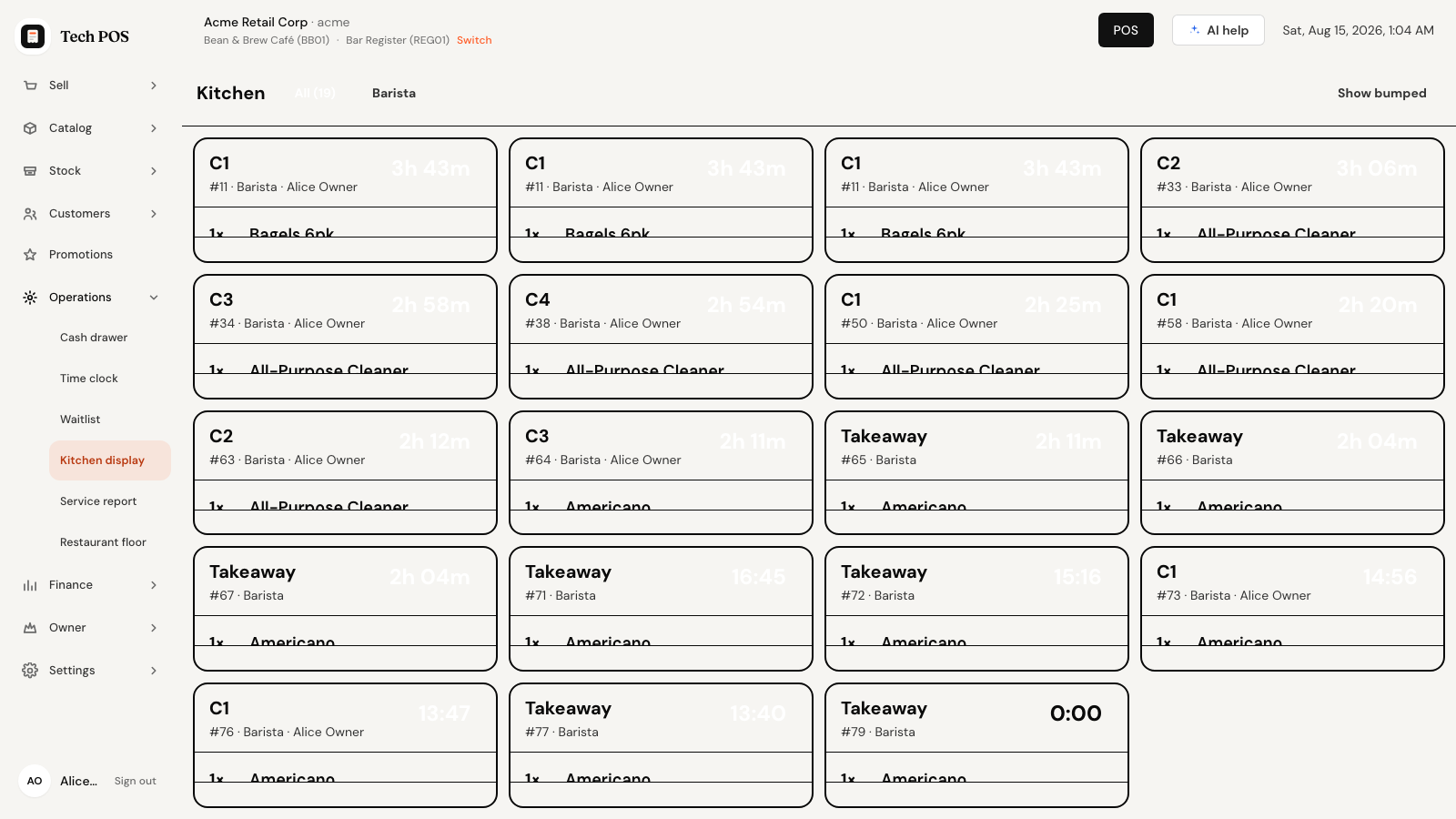
What a ticket card shows
| On the card | Means |
|---|---|
| The big name at the top left | Where it goes: the table name for dine-in, or Takeaway, Delivery, Online, Self-order for everything else. |
| The small line under it | The order number, the station, and the server's name where there is one. That number is the one the counter calls out for takeaway. |
| The clock, top right | How long since the ticket was fired, counting up. |
| The item list | Quantity and item, one line each. Any note from the server — the allergy, the "no ice" — prints underneath its item in a colour that stands out. |
| The buttons at the bottom | What to press next. They change as the ticket moves along. |
Every card is one fire from one order. A table sent in three rounds arrives as three cards, each timed from the moment it was actually sent, because that is what the cook needs to know — not when the guests sat down.
The clock: white, amber, red
| Age | The card | Read it as |
|---|---|---|
| Under 5 minutes | Plain. Grey clock, ordinary border. | Normal. In hand. |
| 5 to 10 minutes | Amber clock and border. | Getting on. Should be moving. |
| Over 10 minutes | Red clock and border. | Late. Somebody is waiting. |
The clock reads 4:12 in minutes and seconds, and switches to
1h 05m past the hour.
Once a ticket is bumped its clock freezes at the time it took. Without that, a ticket handed over in four minutes would sit there glowing red for the rest of the shift and turn the board into wallpaper.
Moving a ticket along
Each card offers only the buttons that make sense for where it is. The brighter one is the usual next step.
| The ticket is | Buttons | What they do |
|---|---|---|
| Just fired | Start, Ready | Start says a cook has picked it up. Ready skips straight to plated — right for a drink or anything that needs no "started" stage. |
| Being cooked | Ready | The food is up and waiting to be taken. |
| Ready | Bump | It has gone to the table or the counter. The card leaves the board. |
| Bumped | Recall | Brings it back — see below. |
| Recalled | Start | Back into the run, as if freshly picked up. |
So the normal life of a ticket is Start → Ready → Bump. Tapping Start is not compulsory; it is there so the pass can see what is actually on the stove rather than only what has been asked for.
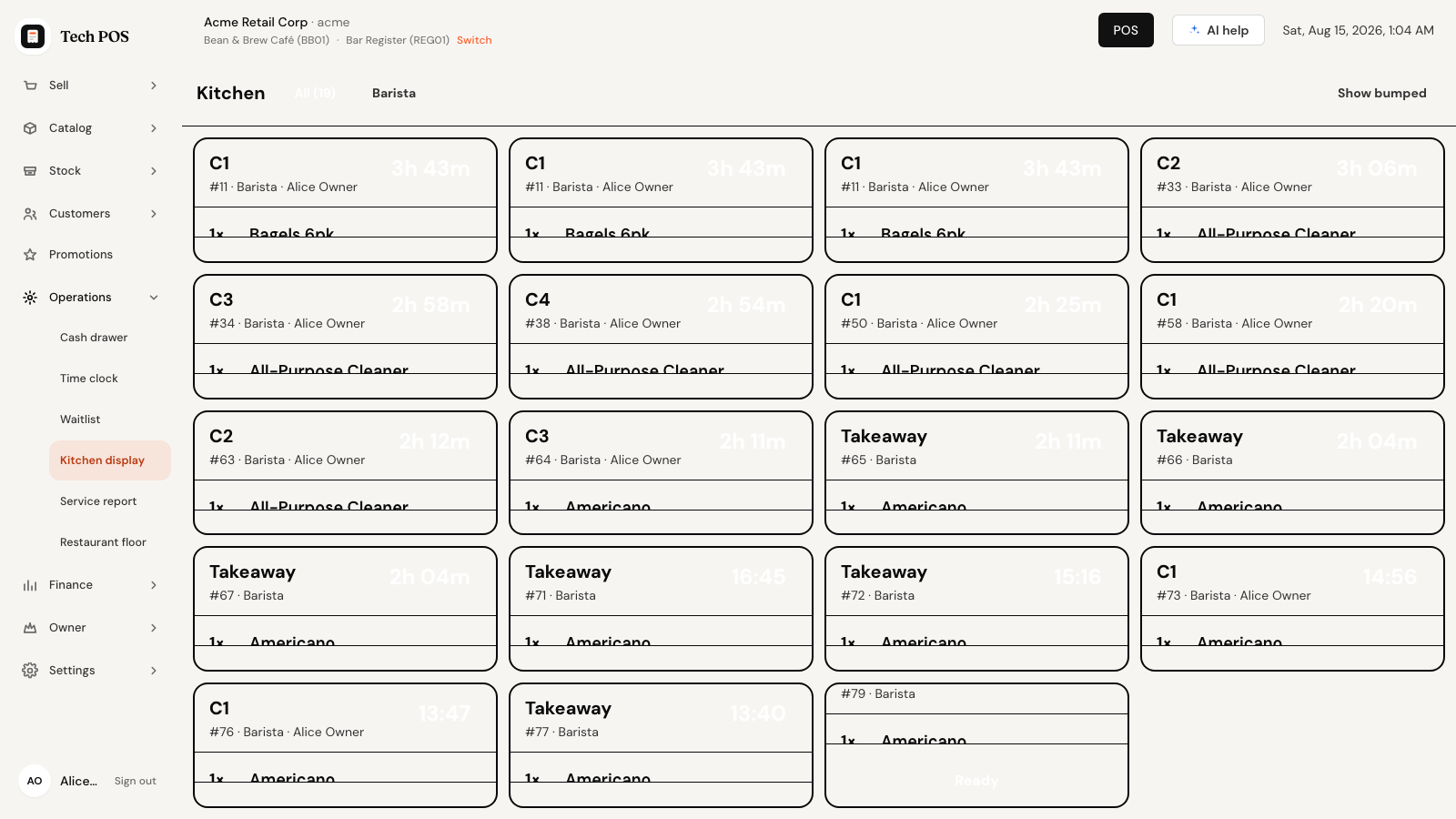
- A card appears when a server fires their ticket.
- Tap Start when a cook takes it on.
- Tap Ready when the food is plated.
- Tap Bump when it leaves the pass. The card disappears.
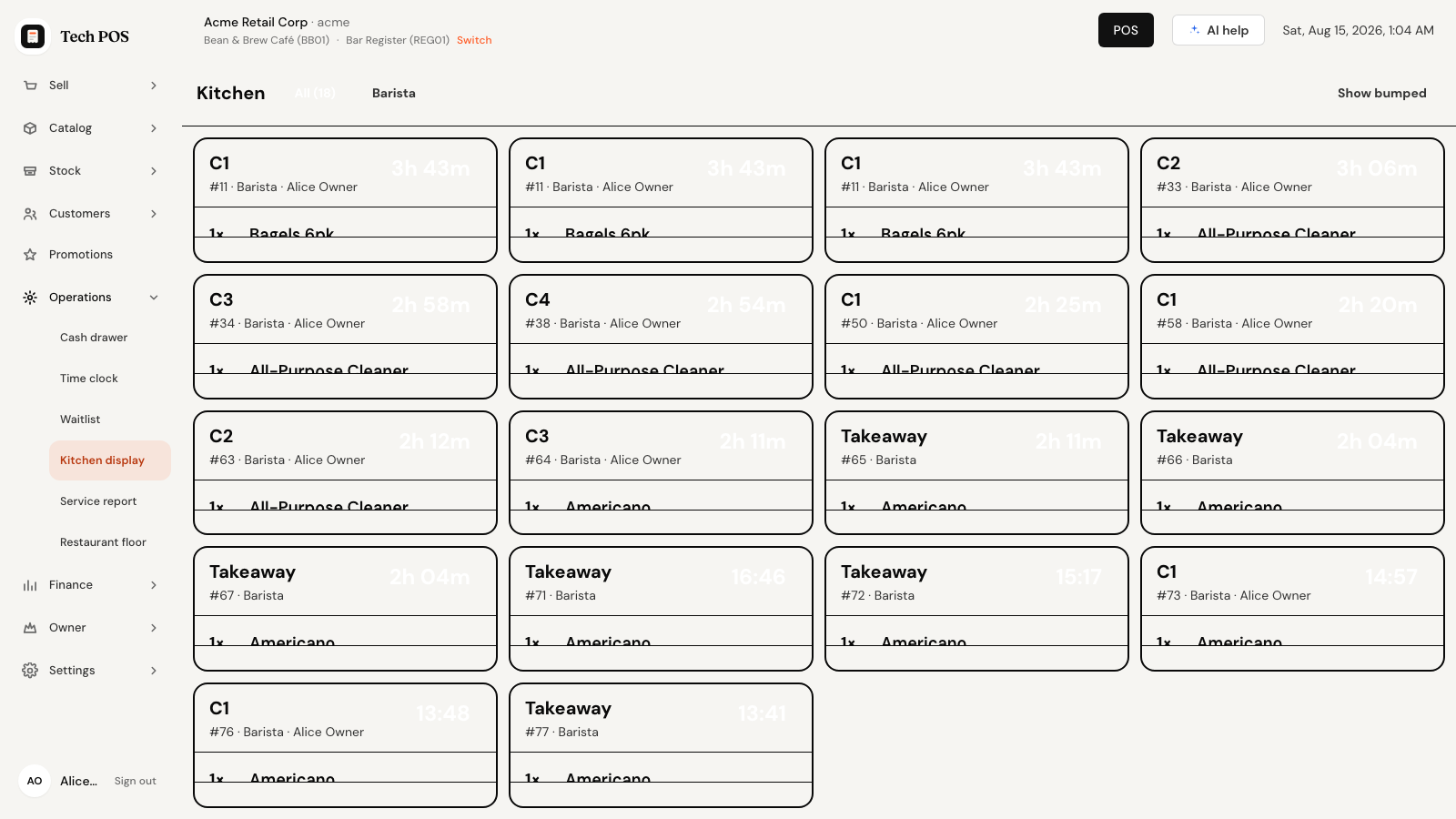
Getting a bumped ticket back
The plate went out cold, or the wrong table got it. Bumping is not the end of the world:
- Tap Show bumped at the top right. Finished tickets reappear on the board.
- Find the one you want and tap Recall.
- Tap Start on it and work it like any other ticket.
- Tap Hide bumped to get back to live work only.
Leave Show bumped on and the board fills with everything that has already gone out, which defeats the object during service. Turn it on to find something, then turn it off.
When the floor cancels something
A server can call a mistake back after the ticket has been fired — wrong table, guest changed their mind, sent twice. It does not disappear off your board, because a line that quietly vanishes is a line a cook keeps cooking. Instead the card changes:
- A red bar across the top of the card: ✕ 2 cancelled — stop cooking them.
- The cancelled lines stay where they are, struck through and dimmed, with the reason underneath: Cancelled — Wrong table.
- Anything not cancelled is untouched. Carry on with the rest of the ticket and bump it as normal.
If every line on a ticket is cancelled, the card stays on the board for ten minutes and then clears itself. That delay is deliberate: it is long enough that a cook cannot miss the cancellation, and short enough that the pass does not fill with dead cards during service.
If the food is already made, nothing on this screen un-makes it. The cancellation records what happened and why; the plate in front of you is still a plate. Whether the guest is charged for it is settled on the floor, not here.
Filtering by station
Along the top: All (19) with the live ticket count, then a button for each station that currently has work — Barista, Grill, whatever your kitchen is divided into.
- Tap your station to see only its tickets.
- Tap All to see the whole pass again.
The station buttons come off the tickets themselves, so a cook needs no settings rights to filter their own board. It also means a station with nothing on it right now has no button — and if the last ticket at your station goes out while you are filtered to it, the board drops back to All rather than leaving you staring at an apparently empty pass through an invisible filter.
An empty board
| It says | Meaning |
|---|---|
| Nothing at the pass | No live tickets. Enjoy it. |
| Loading the pass… | First load, a moment away. |
| Could not load the kitchen board | A connection problem. It keeps trying on its own. |
| Pick a store to see its kitchen | No store is selected on this device. Choose one from the store picker. |
Tickets only appear when a server presses Send to Kitchen and confirms. A table that has ordered but not been sent shows as Ordered on the floor plan — that is the state to look for when the kitchen is quiet and the room is not. See Floor & tables.
If a button fails, a red strip appears across the top with the reason and the ticket stays where it was. Nothing is ever silently marked done.